Hotel Staff Efficiency Tools In 2026: Cut Admin Time, Improve Guest Experience, And Protect Your Team
Discover essential hotel staff efficiency tools that streamline workflows, reduce admin time, and enhance guest experience with expert insights for 2026.
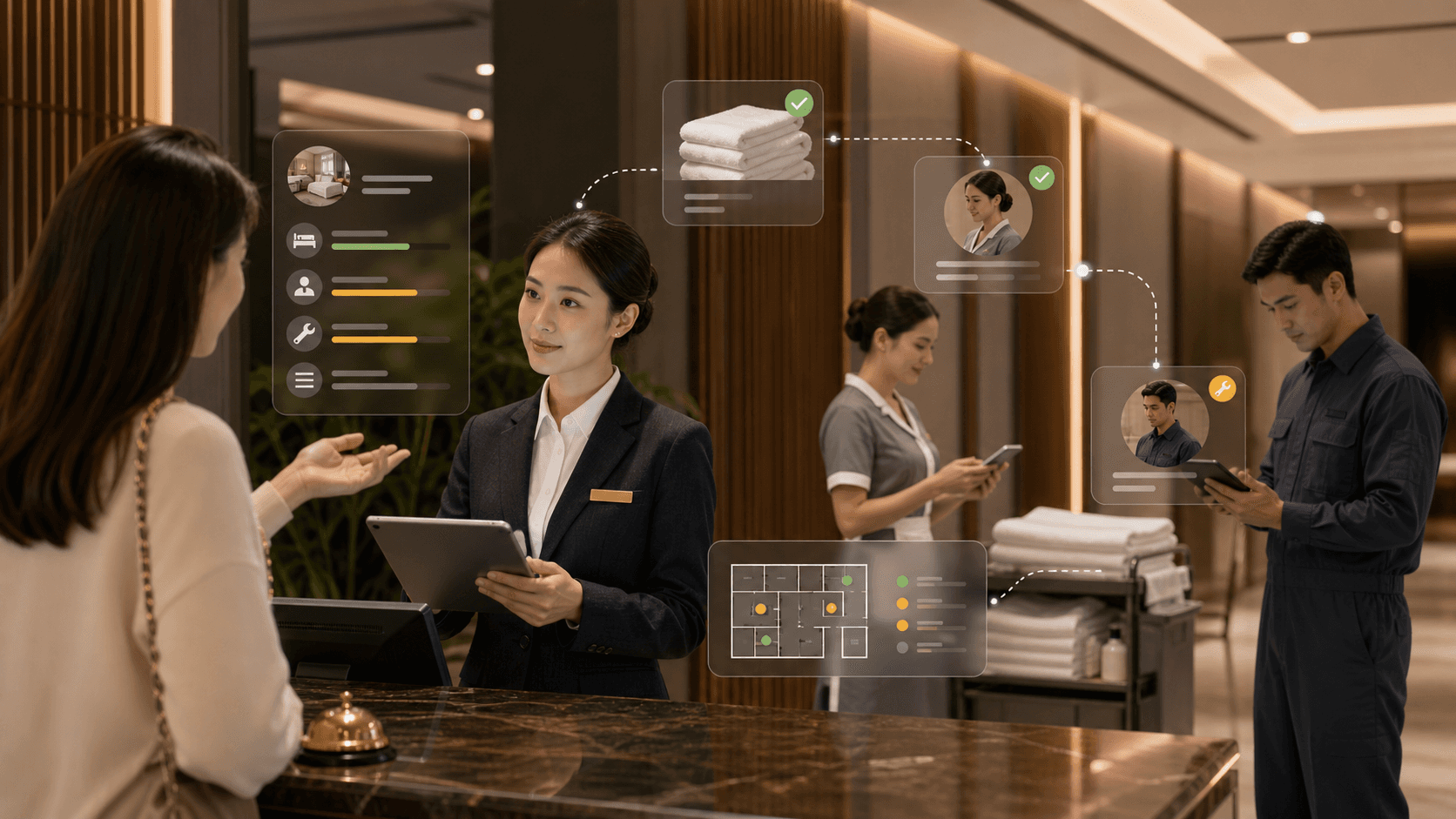
A guest asks for extra towels, housekeeping is short-staffed, and the front desk is juggling three phone lines and a late check-in, then someone realises the request never reached the right team. That's not a "busy day": that's an operations gap that costs time, reviews, and staff energy. The right hotel staff efficiency tools fix the handovers, remove the chasing, and help everyone deliver consistent service without running on adrenaline. In this guide, we break down what to use, where it fits, and how to choose tools that genuinely lighten the load.
Key Takeaways
Hotel staff efficiency tools streamline communication and task management, reducing duplicate work and ensuring requests reach the correct teams promptly.
Conducting a workflow audit helps identify time losses and informs the selection of tools that fit your property's specific needs and service style.
Mobile task management with digital checklists enhances housekeeping and maintenance coordination, improving service standards and reducing unnecessary walking and interruptions.
Integrations with PMS, POS, and other systems prevent double data entry, build trust in operational data, and support seamless information flow between teams.
Guest messaging and service recovery tools alleviate front desk burden by routing requests directly to responsible departments and enabling timely issue resolution.
Workforce scheduling and labour forecasting tools optimise staffing, reduce overtime, and support fair shift allocation, which enhances staff retention and service consistency.
Why Staff Efficiency Matters More Than Ever In Hotels
A single missed handover can spiral fast: a room sits "clean" in the PMS but still has a maintenance issue, the guest arrives early, the front desk offers a comp, and your team absorbs the stress. In 2026, that kind of friction hurts more because hotels are still operating with tighter labour markets, higher wage pressure, and guests who expect fast answers across channels.
When we talk about efficiency, we're not talking about squeezing people. We're talking about removing the work that never should have existed, duplicate data entry, paper checklists, phone-tag between departments, and "Where is that request up to?" conversations that eat hours.
Here's what usually changes when hotels adopt the right tools:
Fewer status arguments: one shared view of room readiness stops the "housekeeping says it's done" vs "front desk says it isn't" loop.
Faster turnarounds: live task updates help housekeeping and maintenance coordinate without walking the building to check.
Better guest experience: requests get routed to the right person first time, so guests don't need to follow up.
Lower burnout risk: clearer priorities and fewer interruptions reduce the constant context switching that drains teams.
A practical way to frame it is this: guest experience is built on staff experience. When staff have to fight the system, multiple logins, unclear tasks, or missing information, service becomes reactive. When the system supports staff, service becomes consistent.
Where Time Gets Lost: A Quick Audit Of Hotel Workflows
If you want to choose the right tools, we need to see where time leaks out of the day, because the "problem" usually isn't housekeeping or reception, it's the workflow around them. A quick audit can take 60–90 minutes with a supervisor from each department and a notepad.
The fast audit we use (and what to look for)
A good audit doesn't start with software demos. It starts with three questions per workflow:
Where does the request start? (Guest call, WhatsApp message, OTA note, walk-in, staff observation.)
How does it get assigned? (Radio, phone call, paper, group chat, someone shouting down a corridor.)
How do we know it's done? (Verbal confirmation, a tick sheet, PMS note, photo proof, timestamp.)
Now apply that to the workflows that usually hide the biggest losses.
Common "time sinks" by department
Front desk: staff retype details from an email into the PMS, then repeat the same info into a maintenance log. A single late-arrival note can get entered three times across systems.
Housekeeping: room status changes rely on a runner or supervisor physically checking rooms, which delays early check-ins and causes guest-facing promises you can't keep.
Maintenance: issues arrive without context ("AC broken") and no location detail, so engineers spend the first 10 minutes diagnosing what should have been captured upfront.
F&B and events: a guest request gets passed verbally, then forgotten during a shift change because there's no task trail.
Red flags that prove a tool will pay back
Look for any of these and you've got a strong business case:
Staff spend more than 30 minutes per shift chasing updates (calls, texts, radio checks).
You rely on personal WhatsApp groups for operational comms (fast, but messy for accountability and GDPR).
Your hotel uses paper checklists that never get reviewed unless something goes wrong.
You have recurring guest complaints about slow response or "I had to ask twice".
The goal of the audit is not to blame. It's to produce a short list like: "We lose 2 hours a day to room-status uncertainty" or "We lose 45 minutes per shift to duplicate admin." That list becomes the requirements for your hotel staff efficiency tools.
Mobile Task Management And Digital Checklists For Housekeeping And Maintenance
When housekeeping is under pressure, small gaps become expensive: a missed minibar refill becomes a complaint, a forgotten towel becomes a second call, and an unclear "out of order" room becomes lost revenue. Mobile task management fixes the handoff between "noticed", "assigned", and "completed".
What good looks like on the ground
The best systems feel simple for staff but strict in the background:
A room attendant opens a mobile task list for today's rooms, ordered by priority (departures first, then stayovers, then deep cleans).
Each room has a digital checklist that matches your standards (linen, bathroom, amenities, maintenance quick check).
Maintenance receives issues as structured tickets (room number, category, urgency, notes, and ideally a photo).
Supervisors can spot bottlenecks in real time (for example, "five departure rooms still not started on floor 3").
That last point matters because it changes decision-making. Instead of guessing, a housekeeping manager can reassign a team member to the floor that's blocking early check-ins.
Digital checklists that actually improve standards
A checklist is only useful if it reflects real service and prevents repeat problems. We suggest building checklists around:
Brand standards (for example, "pillows aligned and fluffed" sounds small, but it's visible in guest reviews).
Error-proofing steps (minibar count, hairdryer present, remote controls working).
Safety basics (slips, blocked exits, obvious electrical issues) with a one-tap escalation to maintenance.
A concrete example: if guests often complain about limescale or mould in bathrooms, add a checklist item that prompts attendants to photograph the shower seal when it needs escalation. You stop relying on memory, and you create a simple record for maintenance.
How task tools reduce walking and radio traffic
Hotels waste a surprising amount of time on "checking" rather than "doing", walking to confirm a room is ready, calling to ask if a job is done, or searching for the right person.
Mobile task management reduces that by:
Timestamped completion (so reception trusts the status and can check a guest in confidently).
Push notifications (so maintenance sees urgent issues instantly rather than at the next radio check).
Smart routing (assigning tasks by zone or floor to cut travel time).
If your team currently uses a whiteboard and radios, you don't need a perfect system on day one. Start with two high-impact flows: room readiness and maintenance tickets. Nail those, then expand into deep cleans, pool checks, and public area routines.
How To Choose The Right Tools For Your Property Size And Service Style
Buying the wrong tool feels like this: staff ignore it, supervisors keep running a parallel paper process "just in case", and you end up with less trust in the data than before. The fix is choosing tools based on your property reality, not on the slickest demo.
Step 1: Match tools to your operating model
Start with two variables that shape everything:
Property complexity: one building vs multiple buildings, number of outlets, room mix (standard vs suites), and how often you turn rooms.
Service style: limited service (fast turnover, fewer touchpoints) vs full service (more requests, more departments, higher expectations).
A 30-room inn with one maintenance person needs a different setup to a 200-room hotel with a spa, restaurants, and events.
Step 2: Use a "must-have / nice-to-have / never" list
We recommend getting department heads to agree a short list in writing. Keep it blunt.
Must-have examples:
Mobile room status updates that the front desk can trust.
Task assignment with due times (not just "to do").
Simple staff adoption (two taps, not ten screens).
Nice-to-have examples:
Photo capture for defects.
Auto-escalation if a task is overdue by 15 minutes.
Multi-language interface for diverse teams.
Never examples:
Requires staff to use personal WhatsApp for tasks.
Doesn't work offline or becomes unusable in poor signal areas (basements and plant rooms matter).
Can't export data for reporting (you don't want to be trapped).
Step 3: Choose by property size (practical guidance)
Small properties (under ~50 rooms): choose tools that combine tasks + messaging in one place, with minimal configuration. You'll feel the impact when the owner-manager stops being the human switchboard.
Mid-size (50–150 rooms): prioritise role-based views (housekeeping, maintenance, front desk), analytics, and integrations with your PMS. At this size, double entry becomes a daily tax.
Large/multi-site: look for permission controls, multi-property dashboards, audit trails, and consistent SOP libraries. A single "best practice" checklist rolled out across sites can reduce complaint patterns.
Step 4: Run a 14-day pilot that tests real pressure
Don't pilot on a quiet week. Choose a period with real load, group arrivals, weekend peaks, or high occupancy. Then test three scenarios:
Early check-in crunch: can housekeeping and reception coordinate without calls?
Urgent maintenance: can you log, assign, and close with proof?
Shift change: do tasks survive the handover cleanly?
If the tool can't handle those, it won't help when you need it most.
Integrations That Prevent Double Entry: PMS, POS, RMS, And Payments
Double entry is where good teams lose patience. If staff have to copy the same details into the PMS, a task tool, and a spreadsheet, they'll pick the fastest path, and that usually means the system becomes incomplete and unreliable.
The integrations that matter most (and why)
In most hotels, the "core stack" looks like this:
PMS (Property Management System): reservations, room status, housekeeping status, profiles.
POS (Point of Sale): outlets, room charges, stock, sometimes service requests.
RMS (Revenue Management System): demand forecasts, rate optimisation, occupancy trends.
Payments: card authorisations, deposits, refunds, chargebacks.
Hotel staff efficiency tools work best when they pull context from these systems rather than asking staff to retype it.
Concrete example: if a guest is marked VIP or has an accessibility note in the PMS, a connected task workflow can highlight that to housekeeping ("extra pillow, hypoallergenic bedding") without a supervisor printing a special list.
What "good integration" looks like day-to-day
Room status sync: when housekeeping marks a room clean, the PMS updates quickly enough that reception can act on it.
Guest context at the point of action: staff see room number, stay dates, and notes in the task itself, not hidden in another system.
Single source of truth: you don't end up with three different versions of "out of order".
Questions we should ask vendors before we sign
Because "we integrate with X" can mean anything, we ask these practical questions:
Does the integration use a supported API, or is it a manual export/import?
Is the sync real time or every 15/30/60 minutes?
Which fields sync (room status, attendant assignment, notes, OOO/OOS, guest requests)?
What happens when there's a conflict (PMS says clean, tool says dirty)?
Who supports issues, the PMS, the tool provider, or a third party?
Don't forget compliance and access control
Integrations also affect risk. If everyone can see guest phone numbers, or staff share logins because access is awkward, you create data protection problems. Choose tools with role-based permissions and audit trails so you can show who changed what and when.
The punchline: we don't buy integrations for the sake of it. We buy them to remove retyping, reduce mistakes, and build trust in the operation's data.
Guest Messaging And Service Recovery Tools That Reduce Front Desk Load
The front desk becomes a bottleneck when every question and request lands in one place: late checkout, parking, extra pillows, "the TV won't work", restaurant times, taxi bookings. If reception has to answer everything live, queues grow and small issues turn into poor reviews.
Move from "answering" to "routing"
Guest messaging tools help when they do two things well:
Capture requests in the channel guests actually use (SMS, WhatsApp, web chat, in-app messaging).
Route requests straight to the right team (housekeeping, maintenance, concierge) with a clear owner and deadline.
A concrete example: a guest messages "No hot water in 214". The tool creates a maintenance ticket with room number, time, and category, and it alerts the duty manager if it isn't accepted in 5 minutes. Reception stays informed without being the go-between.
Service recovery workflows that protect ratings
Service recovery is where tools can quietly save revenue. Instead of waiting for checkout feedback, you can spot issues while the guest is still in-house.
Practical workflows to set up:
Auto-prompts after key moments (after check-in, after first night): "Is everything okay with the room?"
Escalation rules: if a guest uses words like "dirty", "unsafe", or "refund", notify a manager immediately.
Resolution templates: consistent language for apologies, room moves, and follow-ups so junior staff don't have to improvise under pressure.
Contactless check-in and the reality behind the hype
Yes, many guests like faster check-in, but the win for hotels is operational: fewer peak-time queues and fewer repetitive questions. The key is offering it as an option, not a barrier.
A sensible approach:
Offer pre-arrival ID capture and payment links for guests who want speed.
Keep human check-in frictionless for guests who prefer it.
Use messaging to handle common pre-arrival questions (parking, breakfast times, directions) so reception can focus on complex cases.
If we carry out guest messaging well, the front desk stops being a call centre and becomes what it should be: a high-trust service point that handles exceptions, not every small task.
Workforce Scheduling, Time Tracking, And Labour Forecasting
Labour is usually the biggest controllable cost in a hotel, but the real problem isn't wages, it's unpredictability. If occupancy shifts and rotas don't, teams either drown in work or stand around while costs climb.
Scheduling tools that prevent "spreadsheet rotas"
When scheduling lives in spreadsheets, changes create chaos: outdated versions, rota confusion, and last-minute calls. Workforce tools reduce that with:
Shift templates by department (front desk early/late, housekeeping, night audit).
Availability and leave tracking so managers stop guessing who can work.
Open shift bidding (useful for casual staff or students) to fill gaps quickly.
Concrete example: if you run a wedding-heavy property, you can create an "events surge" template with known roles (bar, banqueting, porters) and apply it when function space bookings hit certain thresholds.
Time tracking that protects both payroll and staff trust
Time tracking isn't just about stopping time theft. Done well, it protects staff from payroll errors and protects managers from disputes.
Useful features:
Clock-in rules (for example, prevent clock-in more than 10 minutes early unless approved).
Geo-fencing for large sites where staff otherwise clock in from the car park.
Break compliance prompts to reduce fatigue and support working-time rules.
Labour forecasting tied to demand (not gut feel)
Forecasting becomes valuable when it links staffing plans to real drivers:
Occupancy and arrivals/departures from the PMS.
Covers and bookings for outlets from the POS.
Event bookings and function sheets.
Seasonal patterns (school holidays, local events, peak corporate days).
A practical KPI we like: labour hours per occupied room (and separate by department). It helps you see whether rising costs come from demand changes or from inefficient deployment.
Don't forget the human outcome
Better scheduling is also retention strategy. When staff get clearer rotas, fewer frantic last-minute calls, and fairer shift allocation, turnover pressure eases. That matters because replacing experienced staff costs time, training effort, and consistency, exactly what we're trying to protect.
Training, SOPs, And Knowledge Bases That Keep Standards Consistent
Inconsistent training shows up as inconsistent service: one housekeeper follows the standard perfectly, another misses key steps, and the guest experience becomes a lottery. When turnover is high or you rely on seasonal staff, "shadowing" alone won't hold standards.
Turn SOPs into tools people actually use
SOPs fail when they live in a binder behind the office door. They work when they sit inside daily workflows.
Practical ways to embed them:
Attach SOP snippets to checklist items (for example, a two-step method for resetting a thermostat, with a photo).
Add micro-learning links to tasks (for example, "How to spot bed bug signs" in a housekeeping inspection flow).
Use QR codes in back-of-house areas that open the right page in the knowledge base (for example, "Pool testing procedure").
Create role-based knowledge, not one huge library
A knowledge base should feel like a short menu, not a textbook. We recommend separate sections for:
Front desk (ID policy, payment rules, complaints handling scripts).
Housekeeping (deep clean standards, linen handling, lost property process).
Maintenance (shut-off locations, escalation matrix, contractor contacts).
Concrete example: a new night auditor shouldn't need to search for "refund policy" across 40 pages. They need a "Night shift essentials" pack with the top 15 situations and the exact steps.
Build training around common failures
If you want training to improve performance quickly, build modules around repeat guest issues:
"Guest says the room is noisy" (what to check, what to offer, when to escalate).
"Wi‑Fi complaint" (reset steps, known dead zones, how to communicate timeframes).
"Room not ready at check-in" (service recovery options that protect revenue and reputation).
Measure training without turning it into surveillance
We can track completion and confidence without micromanaging:
Completion rates for onboarding modules.
Quiz scores on critical safety items.
Quality audits linked to outcomes (for example, fewer repeat defects in inspections).
The aim is a steady baseline: guests get the same standard whether it's a Monday in February or a sold-out Saturday in August.
Data, Dashboards, And KPIs: Measuring Efficiency Without Micromanaging
Dashboards can either improve decisions or destroy morale. If staff feel watched for every minute, they'll game the numbers or switch off. If managers use data to remove blockers, teams usually welcome it.
Start with KPIs that link to guest experience
We choose metrics that connect effort to outcomes, not just speed:
Average response time to guest requests (by department and shift).
First-time fix rate for maintenance (reduces repeat call-outs and guest frustration).
Room turnaround time for departures (supports early check-ins and reduces queue pressure).
Inspection pass rate (quality, not just volume).
Concrete example: if your guest experience scores drop on cleanliness, pair "rooms cleaned per hour" with "inspection pass rate". If productivity rises but pass rate falls, you've found a training or workload issue.
Make dashboards useful for supervisors, not just owners
A dashboard should help the person on shift decide what to do next. That means:
Live view of outstanding tasks by priority.
A "blocked" queue (rooms waiting on maintenance, linen delays, or supervisor sign-off).
Alerts for overdue tasks that will impact arrivals.
Use data to fix the system, not blame people
Here's a healthy pattern we see in well-run hotels:
Managers review weekly trends (not minute-by-minute).
Teams discuss what caused spikes (coach arrivals, a broken lift, short staffing due to illness).
Leaders change the process (adjust staffing templates, update SOPs, fix a repeated equipment issue).
A simple action step: run a 20-minute weekly ops huddle with one chart on screen, top three delays and the single change you'll test next week. That's how data becomes culture, not surveillance.
The efficiency metrics that protect staff
Don't only measure outputs. Track signals that predict burnout:
Overtime hours by department.
Missed breaks.
High "reopen" rates on tasks (a sign of rushed work or unclear standards).
When we measure these alongside guest metrics, hotel staff efficiency tools become what they should be: a way to protect service and protect people at the same time.
Conclusion
In 2026, efficiency isn't about making staff move faster: it's about making work simpler, clearer, and easier to hand over. The best hotel staff efficiency tools remove double entry, turn requests into trackable tasks, and give managers the data to fix problems upstream, before they hit the guest. If we start with a quick workflow audit, pilot tools under real pressure, and prioritise integrations, we can cut admin time, lift the guest experience, and reduce the daily stress that drives good people out of hospitality.
Frequently Asked Questions about Hotel Staff Efficiency Tools
Why are hotel staff efficiency tools essential in today's hospitality industry?
Hotel staff efficiency tools help reduce operational gaps by streamlining communication, ensuring accurate task handovers, and cutting down duplicate work, which improves guest experience, reduces staff burnout, and boosts overall productivity amid tighter labour markets and higher guest expectations.
How can mobile task management improve housekeeping and maintenance workflows?
Mobile task management enables real-time updates, prioritised room lists, and digital checklists that match brand standards, allowing housekeeping and maintenance teams to coordinate effectively, reduce unnecessary walking, and deliver faster room turnarounds, enhancing guest satisfaction.
What should hotels consider when choosing staff efficiency tools based on their property size?
Small hotels benefit from simple all-in-one task and messaging tools with minimal setup, mid-sized hotels need role-based views and PMS integration to avoid duplicate entry, while large or multi-site hotels require features like permission controls, multi-property dashboards, and standardised SOP libraries for consistent service.
How do integrations between staff efficiency tools and systems like PMS or POS help hotel operations?
Integrations eliminate double data entry by syncing guest info and room status in real time across systems, which ensures staff have accurate context for tasks, reduces errors, speeds up check-ins, and builds trust in operational data, all while maintaining compliance via role-based access.
What are the benefits of guest messaging and service recovery tools for front desk efficiency?
These tools capture guest requests directly through popular channels, automatically route them to the right team with clear ownership and deadlines, and enable proactive issue resolution during the stay, reducing front desk workload and improving guest satisfaction and review scores.
How can workforce scheduling and labour forecasting tools help reduce hotel staffing challenges?
They automate shift planning with templates, track staff availability, prevent rota confusion, enable open shift bidding, and use occupancy and event data to forecast labour needs accurately, helping hotels avoid understaffing or overstaffing, manage wages efficiently, and support staff retention.

Sep 15, 2026
Hotel Upselling Solutions: Why Pre-Arrival Isn't Enough
Hotel upselling doesn't require aggressive sales tactics—it requires smart timing and conversational delivery. Learn how modern hotels use voice-first AI and personalised offers to increase ancillary revenue by £15–£30 per stay while keeping guests feeling genuinely helped, not pressured. This guide covers proven upselling strategies, multilingual AI integration, and weekly KPI tracking for UK SME properties

Aug 14, 2026
Smart Hotel Rooms: Why the First Wave Failed, and What the Next One Looks Like
Smart hotel rooms promised a lot and delivered little. Here's what changed, what a genuinely smart room does in 2026, and how UK operators should approach it.

Jul 30, 2026
Voice-First Hotel AI Concierge: Turn Guest Requests Into Revenue And Free Your Front Desk
A voice-first hotel AI concierge captures guest requests, routes them to your team, and turns everyday asks into upsell revenue. See how it works.
